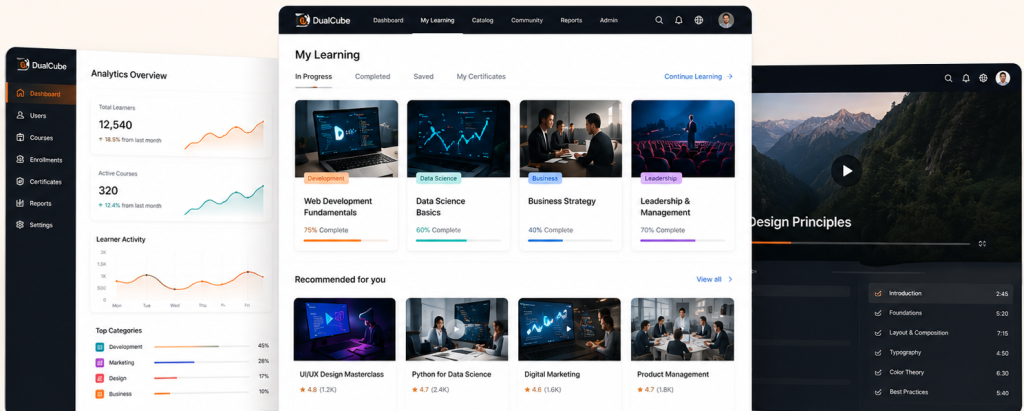
Sell courses on WooCommerce. Sync every seat to Moodle
MooWoodle Pro connects your WooCommerce store to Moodle, so every order becomes an enrolment automatically – no manual imports, no double bookkeeping.
1 Site
3 Site
10 Site
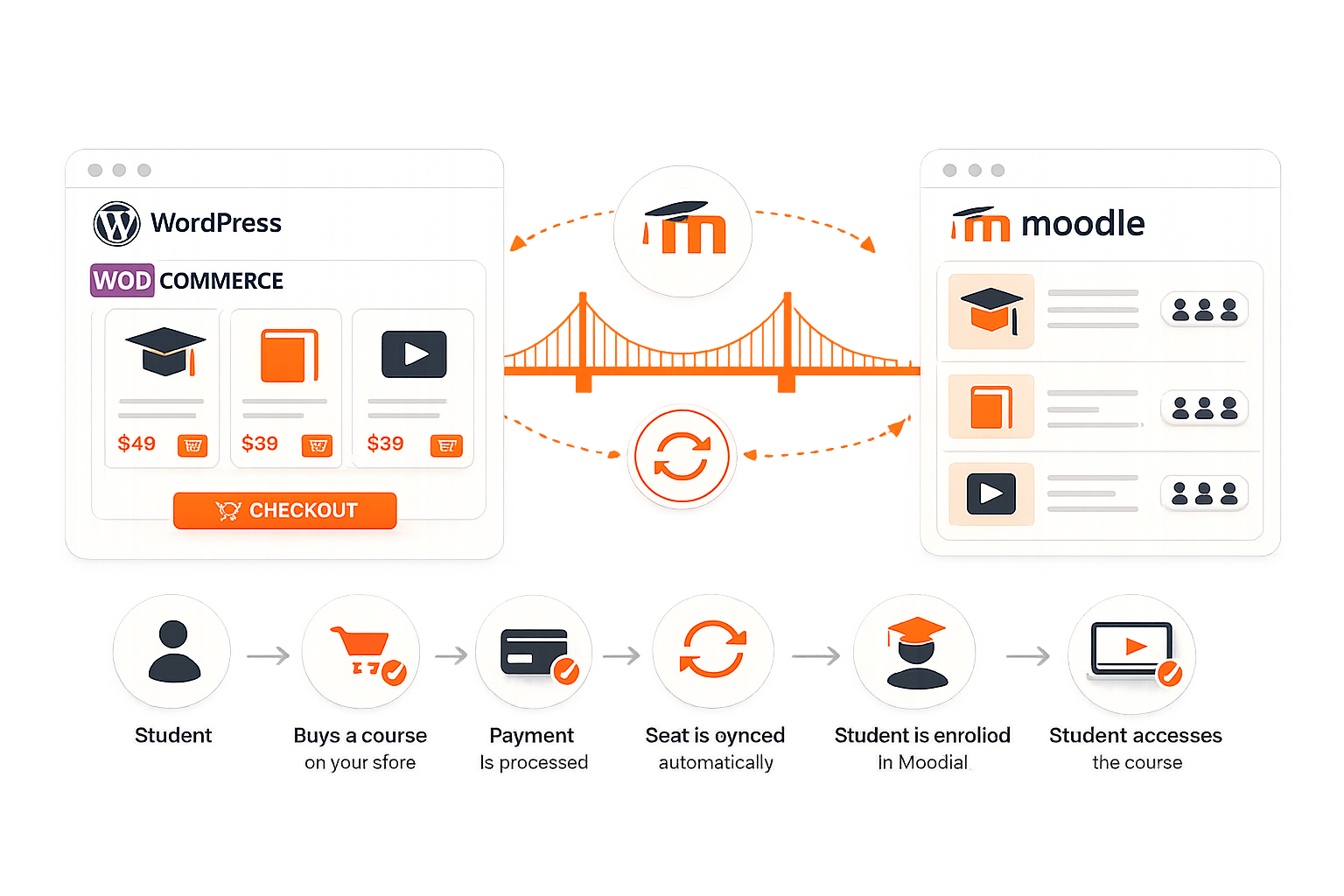
The bridge between your courses and your store.
Everything the free plugin does, out of the box.
01
Course sync & import
Pull your existing Moodle courses into WordPress as WooCommerce products – title, description, image and category, all carried across.
02
Automatic enrolment
When a student buys, they’re enrolled into the matching Moodle course instantly. No manual steps, no waiting.
03
Enrolment management
See and manage course enrolments right inside WordPress, without switching to Moodle.
04
User synchronisation
Keep user profiles in sync between Moodle and WordPress, so there’s no duplicate account juggling.
05
Any WooCommerce gateway
Take payments with whatever WooCommerce supports – cards, UPI, wallets, PayPal and more.
06
Built-in Test Connection
A one-click check confirms WordPress and Moodle are talking properly before you go live.
07
One Moodle, many sites
Connect a single Moodle instance to multiple WordPress sites – ideal for agencies and multi-brand platforms.
Start free. Upgrade when you’re ready to grow.
The free plugin sells courses today. Pro adds the tools growing platforms need.
| Feature | Free | Pro |
| Course sync & import | ✓ | ✓ |
| Automatic enrolment on purchase | ✓ | ✓ |
| Sell via WooCommerce (any gateway) | ✓ | ✓ |
| Enrolment management in WordPress | ✓ | ✓ |
| Basic user synchronisation | ✓ | ✓ |
| Test Connection tool | ✓ | ✓ |
| Single Sign-On (SSO) | ✕ | ✓ |
| WooCommerce Subscriptions | ✕ | ✓ |
| Multiple pricing models | ✕ | ✓ |
| Course variations & bundles | ✕ | ✓ |
| Gift courses & Classroom mode | ✕ | ✓ |
| Cohort products | ✕ | ✓ |
| Bulk course management | ✕ | ✓ |
| Real-time bidirectional user sync | ✕ | ✓ |
| WPML multilingual support | ✕ | ✓ |
What Pro unlocks.
Here’s the difference you’ll actually feel.
Single Sign-On (SSO)
Log into Moodle or WordPress once and you’re signed into both – fewer login-support tickets, happier learners.
Subscriptions
Sell recurring course access with WooCommerce Subscriptions for reliable monthly or yearly income.
Multiple pricing models
One-time payments, subscriptions and memberships – price courses the way your business works.
Course variations & bundles
Sell variations tied to Moodle groups, or bundle several courses together at a discount.
Gift courses
Let people buy Moodle courses for friends, peers or colleagues.
Classroom mode
Buy multiple seats and assign them to others by course, cohort or group.
Cohort products
Automatically enrol buyers into the right Moodle cohort on purchase.
Bulk course management
Transfer courses and enrol students in bulk instead of one at a time.
Real-time user sync
Instant, bidirectional profile sync – pick exactly which fields to keep in step.
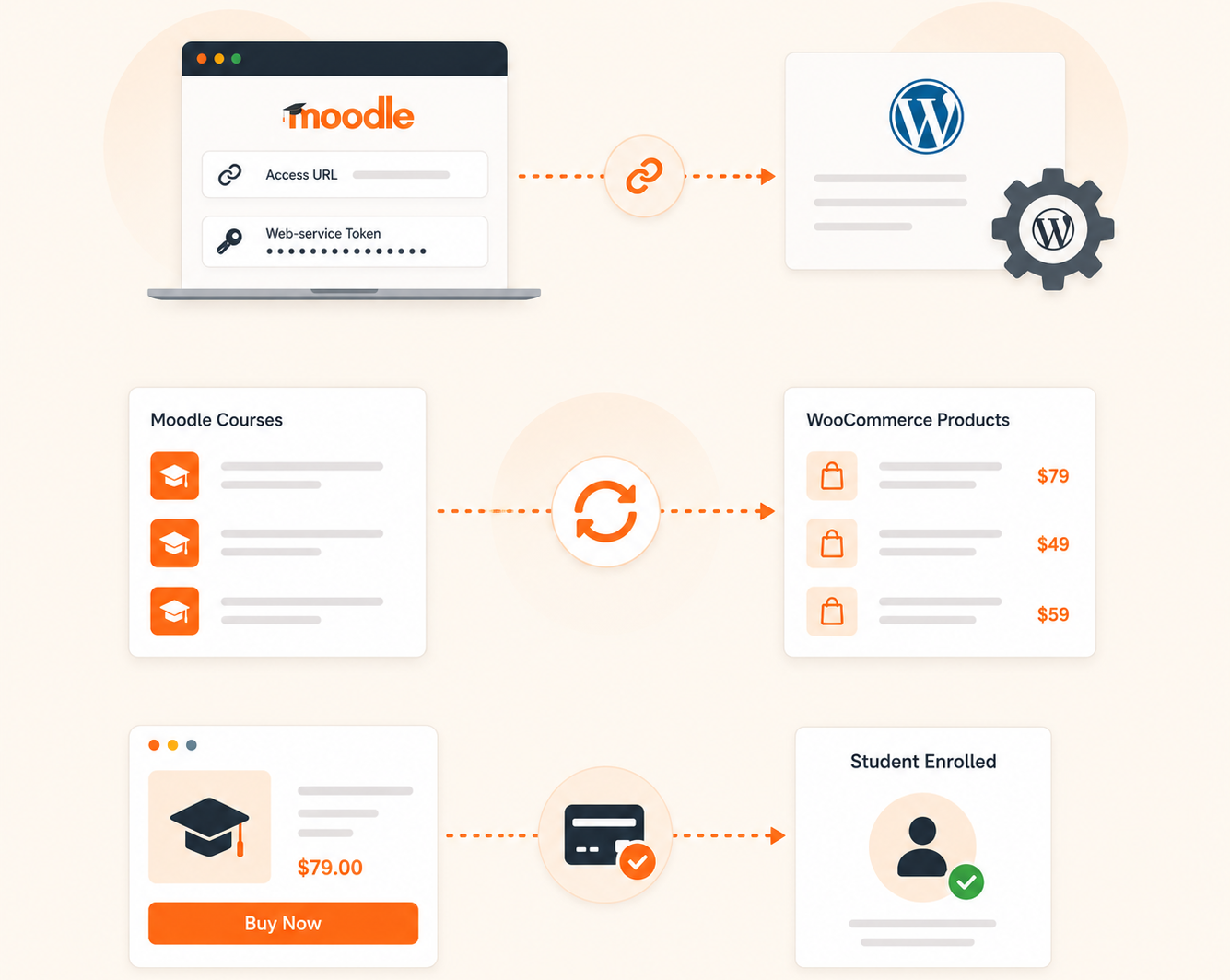
Connected in three steps
01
Connect
02
Sync
03
Sell
Document
Product Support
ChangeLog
Not developers. Not IT teams. Just teachers who needed this to work.
Here’s the difference you’ll actually feel.
FL
Fliegerrollo

szymonwordpress

Aleselva

Ruthzitaruane
JB
Jamesbecker

Dschwa
FL
Fliegerrollo
szymonwordpress
Aleselva
Ruthzitaruane
JB
Jamesbecker
Dschwa
MI
Miannone
DS
Driconsolo
RF
Robausflight
SK
Sangakarachamira
LS
Lsandner
SK
Sangakarachamira
DS
Driconsolo
LS
Lsandner
SK
Sangakarachamira
MI
Miannone
SK
Sangakarachamira
RF
Rafael1391

Jose Salazar
AL
Arsalan

William Chaparro
.
PM
Pedro Mamare
CO
Cesar Oliveira
Jose Salazar
AL
Arsalan
William Chaparro
.
PM
Pedro Mamare
CO
Cesar Oliveira
Questions educators ask us first.
Can’t find yours? Scroll to the bottom – a real person answers, fast.
Can I sell Moodle courses with WooCommerce?
Yes. MooWoodle turns your Moodle courses into WooCommerce products so you can sell them on WordPress and turn your site into an eLearning store.
Do I need coding knowledge?
No. MooWoodle is a no-code integration designed for instructors, admins and education providers.
Does it support Single Sign-On?
Yes, with MooWoodle Pro – students and instructors log in once to access both WordPress and Moodle.
Can I sync my existing Moodle courses?
Yes. MooWoodle imports your existing courses and displays them on WordPress, fully integrated with WooCommerce.
Which payment gateways can I use?
Any gateway WooCommerce supports – you’re not restricted to Stripe or PayPal.
Can one Moodle connect to several WordPress sites?
Yes. A single Moodle instance can integrate with multiple WordPress sites.
My courses aren’t showing – what do I check?
Use the built-in Test Connection tool; it pinpoints configuration issues between WordPress and Moodle.
See what your platform is missing.
Tell us how your team works today. We’ll show you where AI genuinely helps — and where it doesn’t.